Kevin Rose Built SignuDoc to Replace an $8,100 DocuSign Bill
By Christine James, Editor · November 16, 2026
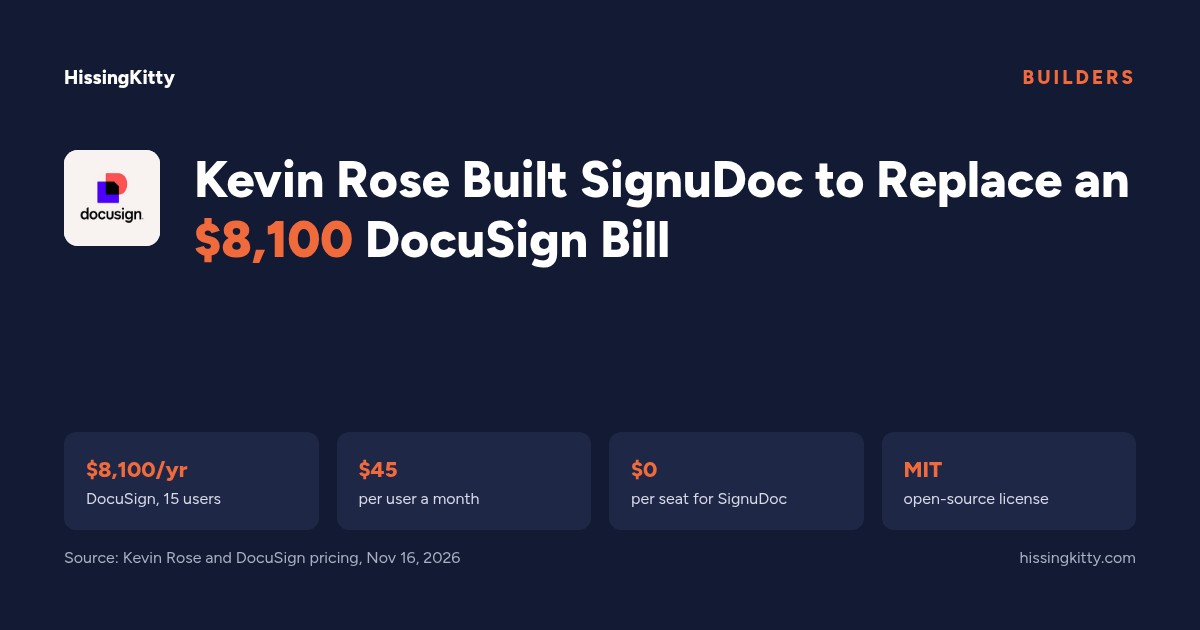
Kevin Rose, who helped start Digg and later worked at Google, posted a short line on Nov 16 that many finance teams will recognize: "DocuSign wants $8,100/yr from a 15-person team just to sign PDFs." His answer was to build his own. SignuDoc is open source, deploys to your own Vercel account in one click and, in his words, costs "$0 per seat."
His announcement passed 148,000 views within a few hours. The interest isn't really about one tool. It's about a question more teams are asking at renewal time: when signing a PDF is a solved problem, why does the bill grow with every person who needs to send one?
Key facts
- Kevin Rose released SignuDoc, an open-source e-signature app, on Nov 16, 2026.
- He says DocuSign wants $8,100 a year from a 15-person team.
- That matches DocuSign's Business Pro list price: $45 per user a month, billed yearly, times 15 people.
- SignuDoc deploys to your own Vercel account in one click and has no per-seat fee.
- Its code page says free hosting plans cover about 250 documents a month.
- The code is MIT licensed, so anyone can read, change and run it.
Where the $8,100 Comes From
DocuSign wants $8,100/yr from a 15-person team just to sign PDFs. So I built SignuDoc: open source, one-click deploy to your own @vercel account, $0 per seat.
Kevin Rose (@kevinrose) November 16, 2026
The number checks out against DocuSign's own pricing page. Business Pro costs $45 per user a month on a yearly plan, or $540 per person a year. Fifteen people comes to $8,100. The Standard plan is $30 per user a month, which would be $5,400 a year for the same team. Personal is $11 a month, but it covers one sender only.
A 15-Person Team Pays DocuSign by the Seat; SignuDoc Doesn't Charge One
Per person, that is $30 to $45 a month for a tool most staff open a few times a week. DocuSign's Standard and Business Pro plans also include 100 envelopes per user per year, according to the SignuDoc code page, so heavy senders can run into limits on top of the seat price.
What SignuDoc Does
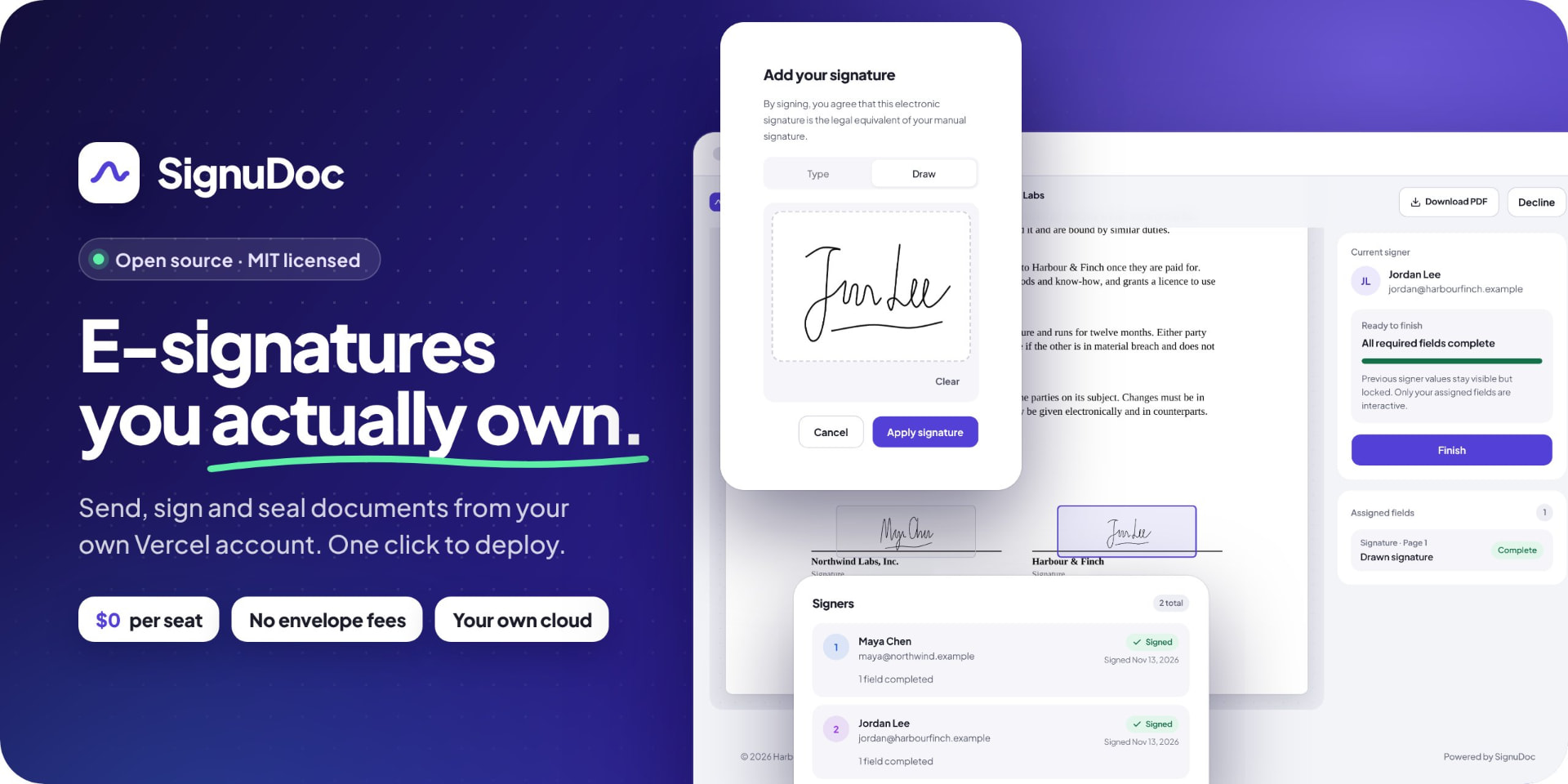
Going by its public code page, SignuDoc covers the core job: upload a PDF, place signature fields, send signing links by email and keep the signed copy. Rose listed the features he thinks matter most:
- Your own branding. The signing pages carry your company's look, not a vendor's.
- Audit trails. Each step is recorded, and the record is chained so an edited or deleted entry shows.
- Tamper-evident seals. Finished PDFs carry a seal that standard PDF readers check for changes.
- Documents stay with you. Files sit in a private store and database in your own accounts, in the region you choose.
The one-click setup creates the database, file storage and email sending on free plans. These are the project's own claims. We haven't tested it.
Before You Switch
E-signatures are a legal record, so the checks matter more than the price. A few questions to answer first, each with a next step:
- Will your signatures hold up? Simple e-signatures are valid in the US and EU for most contracts, but some documents and industries need more. Ask your lawyer which of your agreements need a stricter signature type before moving them.
- Who maintains it? Open source means you own the copy you run. Name one person on your team who will apply updates, and check how often the project ships fixes.
- What does hosting really cost? Free plans cover about 250 documents a month. Count what you sent last year and price the paid plans before you assume $0.
- Do you need integrations? DocuSign connects to CRMs and contract tools. List the ones you use and check whether SignuDoc covers them, or what it would take to add them.
- What about old agreements? Export your signed DocuSign documents and their certificates before the renewal date, so nothing is stuck behind a closed account.
Where This Does Not Apply
Teams in regulated fields, or those that rely on DocuSign's contract management tools, should probably keep paying for now and run SignuDoc on a few low-risk documents first. For a small team that mostly sends offer letters, NDAs and simple agreements, it is worth a trial before the next renewal.
What's Next
We added SignuDoc to the AI-native alternatives on the DocuSign page, where buyers vote on which alternatives are worth trying. If you pay for DocuSign, share what you pay so other teams can compare. Other price changes are on Price Radar.
DocuSign on HissingKitty
$500 /yr
Median of 5 teams
No ratings yet
Ratings
8
Alternatives listed
Built Something Like This?
List it free, or tell other teams what you pay today.